
# PhotosynQ for Android
The PhotosynQ Android app connects to a MultispeQ over Bluetooth, runs protocols, collects Project measurements, stores measurements locally, and uploads them to the PhotosynQ cloud.
The app also includes MultispeQ QC, which can be used without joining a Project. Device and Field QC reports remain on the phone and can be shared through Android's standard sharing tools.
Approved users can also open PhotoQ (AI Assistant) for help with PhotosynQ instruments, protocols, Projects, measurements, and field workflows.
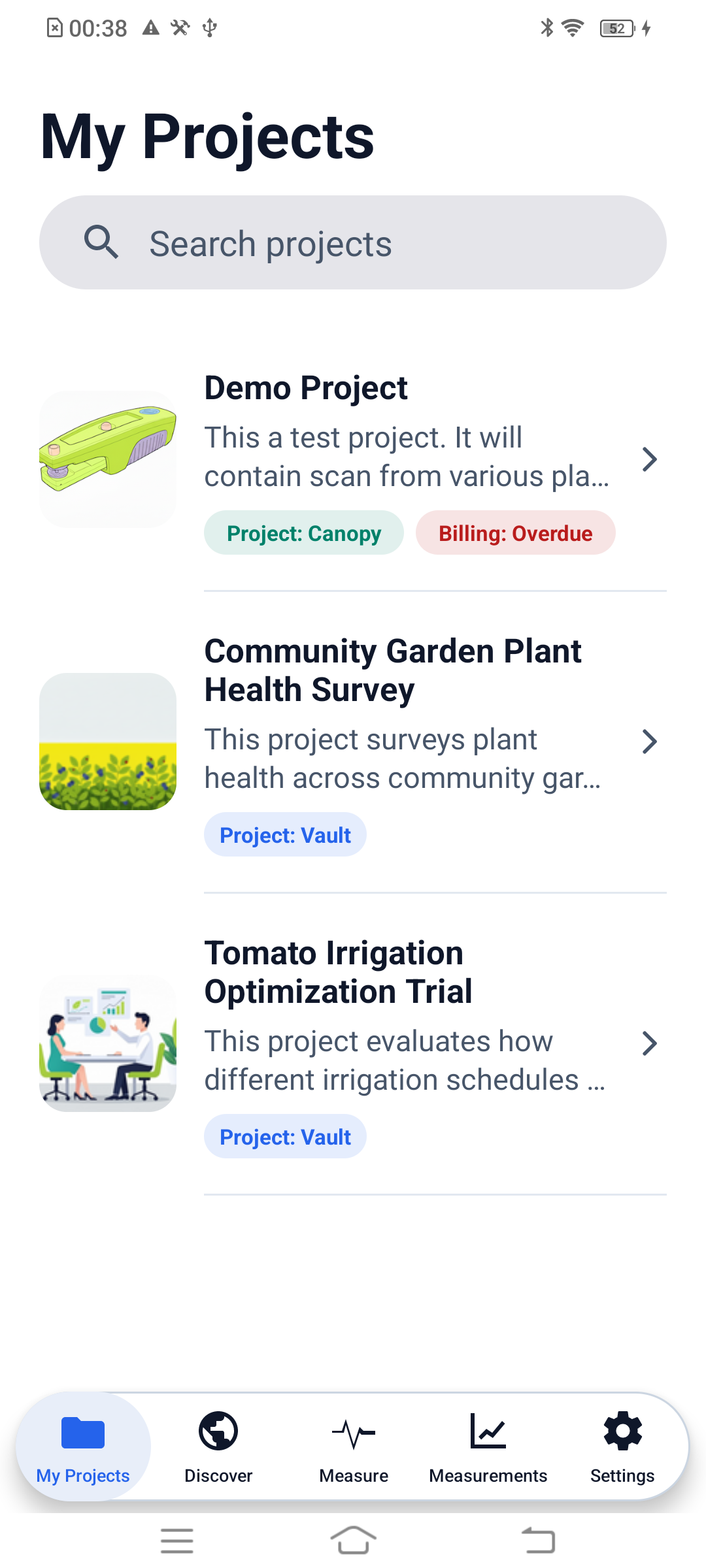
# Navigate the app
The five tabs at the bottom of the screen organize the main workflows:
| Tab | Use it to |
|---|---|
| My Projects | Find joined Projects, review instructions and protocols, and collect Project measurements. |
| Discover | Search for discoverable Projects and request to join an eligible Project. |
| Measure | Connect or manage a MultispeQ, choose a protocol for a Quick Measurement, or open MultispeQ QC. |
| Measurements | Review local results and upload eligible pending Project measurements. |
| Settings | Manage the account, data transfer, notifications, measurement capture, and support. |
# Supported Android versions
The current app requires Android 5.0 or newer. Android 11 or newer is recommended because current Bluetooth, permission, camera, storage, and notification behavior is actively supported there.
Keep Android and the PhotosynQ app updated before field collection. Hardware vendors can implement Bluetooth differently, so test the phone and MultispeQ together before beginning a study.
# Main workflows
- MultispeQ QC: Open Measure → Open MultispeQ QC to check device health and field-readiness without contributing data to a Project.
- My Projects: Open joined Projects, answer Project questions, and collect measurements.
- Discover: Find public Projects and request access to eligible ones.
- Quick Measurement: Run a protocol without associating the result with a Project.
- Measurements: Review locally stored measurements and upload pending Project measurements.
- Settings: Control data transfer and barcode capture, view the profile, and sign out.
- PhotoQ (AI Assistant): Open it from Settings → Ask PhotoQ AI with a separately approved PhotoQ account.
Before field collection
Connect the MultispeQ, run Device QC with the empty clamp closed, and then run Field QC using three representative leaves.
For connection problems, see Connect an Instrument. For app installation and permissions, see Installation.