
# MultispeQ QC
This guide shows the Android app. For iPhone screenshots and Saddle setup, see PhotosynQ iPhone (iOS) App.
MultispeQ QC provides local checks before field data collection. It is independent of Projects and can be opened without signing in.
Select Measure → Open MultispeQ QC. The screen contains two tabs that must be completed in order:
- Device QC checks the connected instrument with an empty, closed clamp.
- Field QC runs Photosynthesis RIDES 2.1 on three representative leaves.
QC results are stored locally under the connected MultispeQ device ID. They are not uploaded as Project measurements. Use Share report when a report needs to be emailed or provided to support.
# Device QC
Device QC checks Bluetooth communication, battery and sensor information, and detector responses produced by the bundled no-leaf protocol. It does not replace optical calibration or certify measurement accuracy.
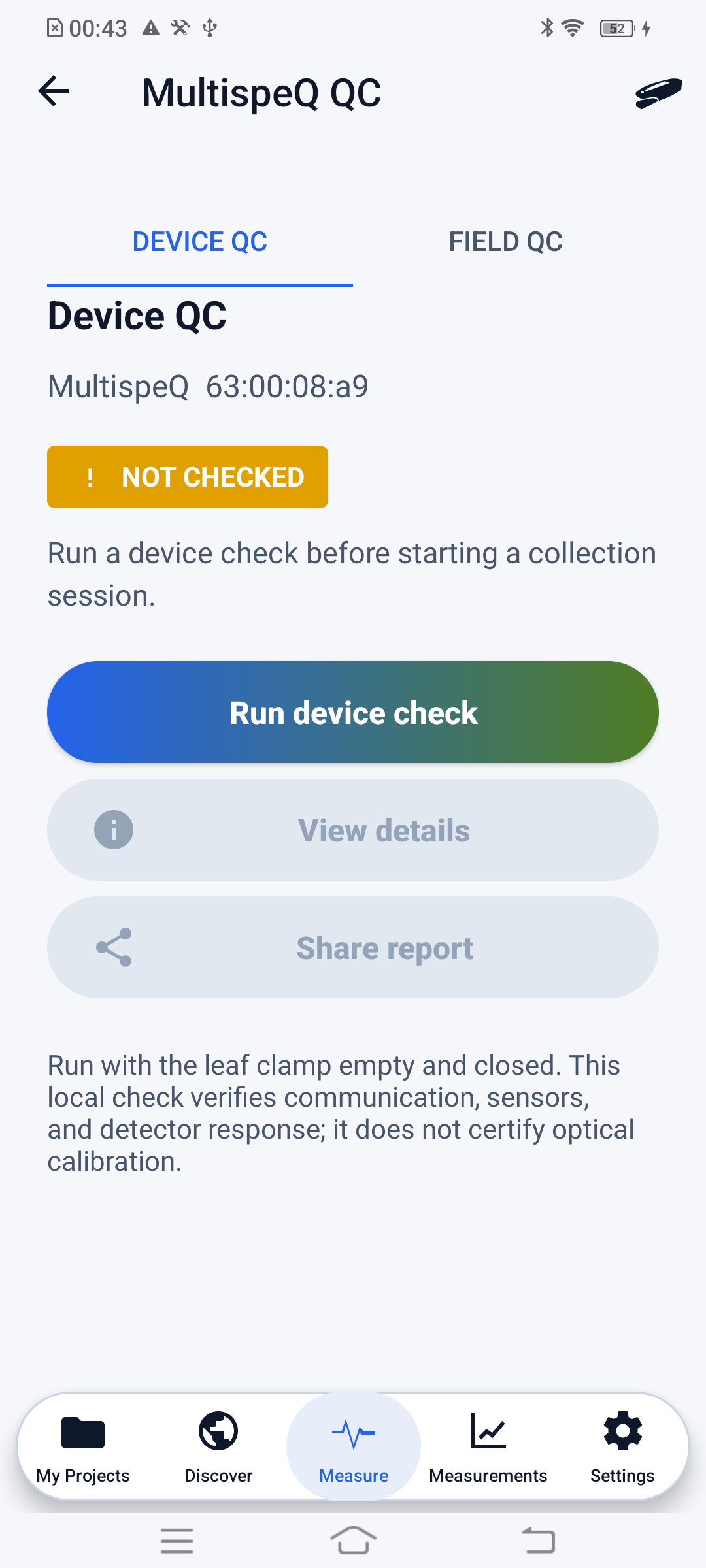
# Run Device QC
- Connect the MultispeQ.
- Remove all leaves and material from the clamp.
- Clean both light guides with a soft, clean microfiber cloth to remove residue.
- Close the empty clamp completely.
- Place the MultispeQ on a stable surface in a normally lit area; do not cover it or place it in darkness.
- Select Run device check.
- Review the preparation instructions and select Start Test.
- Keep the device still until the test finishes.
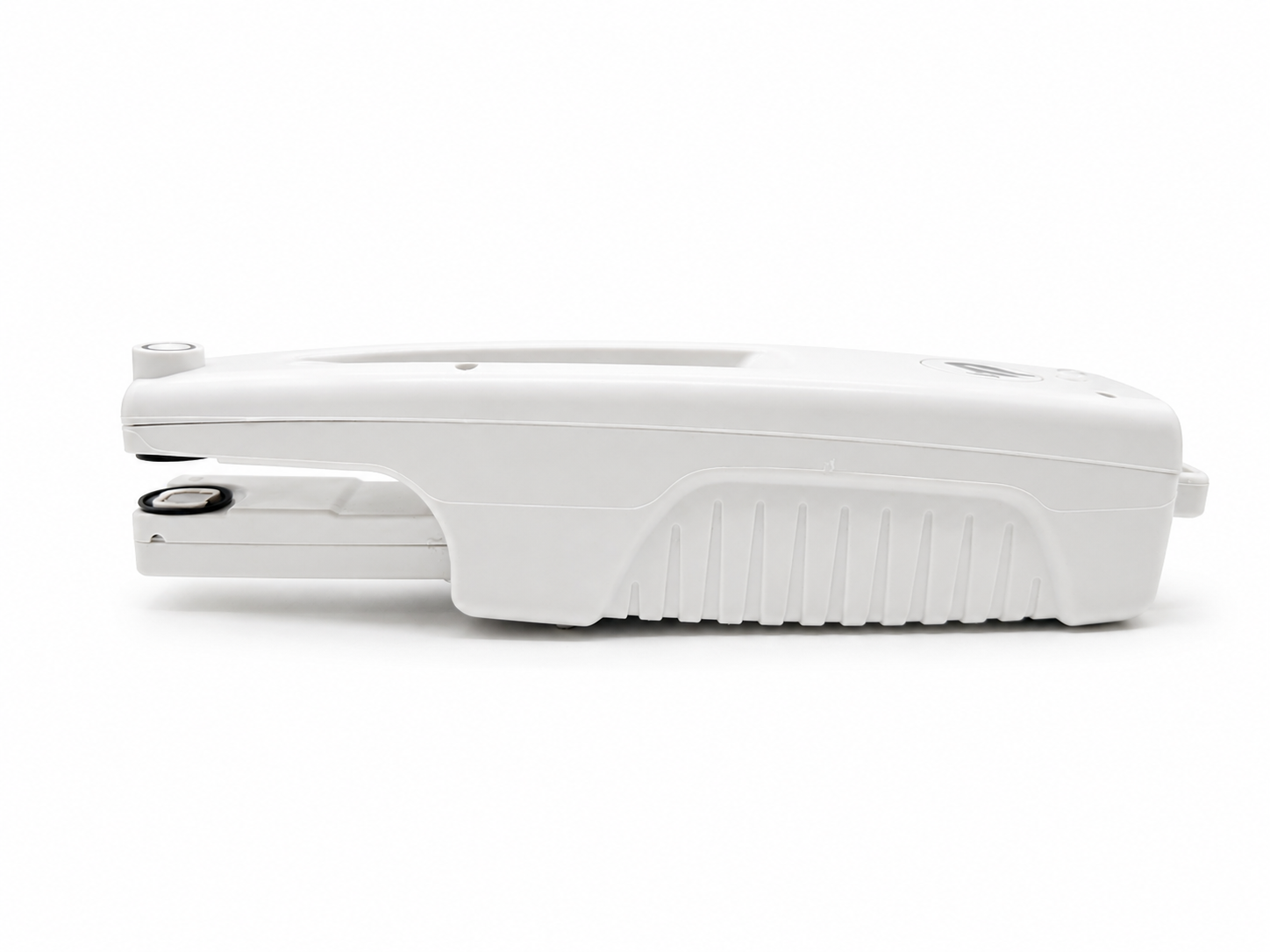
The two circular optical surfaces inside the open clamp are the light-guide area that must be clean before Device QC.
After completion, select View details to review individual sensor and detector checks. Select Share report to export the local report.
The details view reports connection, firmware, battery, environmental and chamber sensors, empty-clamp thickness, calibration memory, and the response from each tested LED/detector path.
# Field QC
Field QC verifies collection readiness using the bundled Photosynthesis RIDES 2.1 protocol and macro. Complete Device QC first with the same connected MultispeQ.
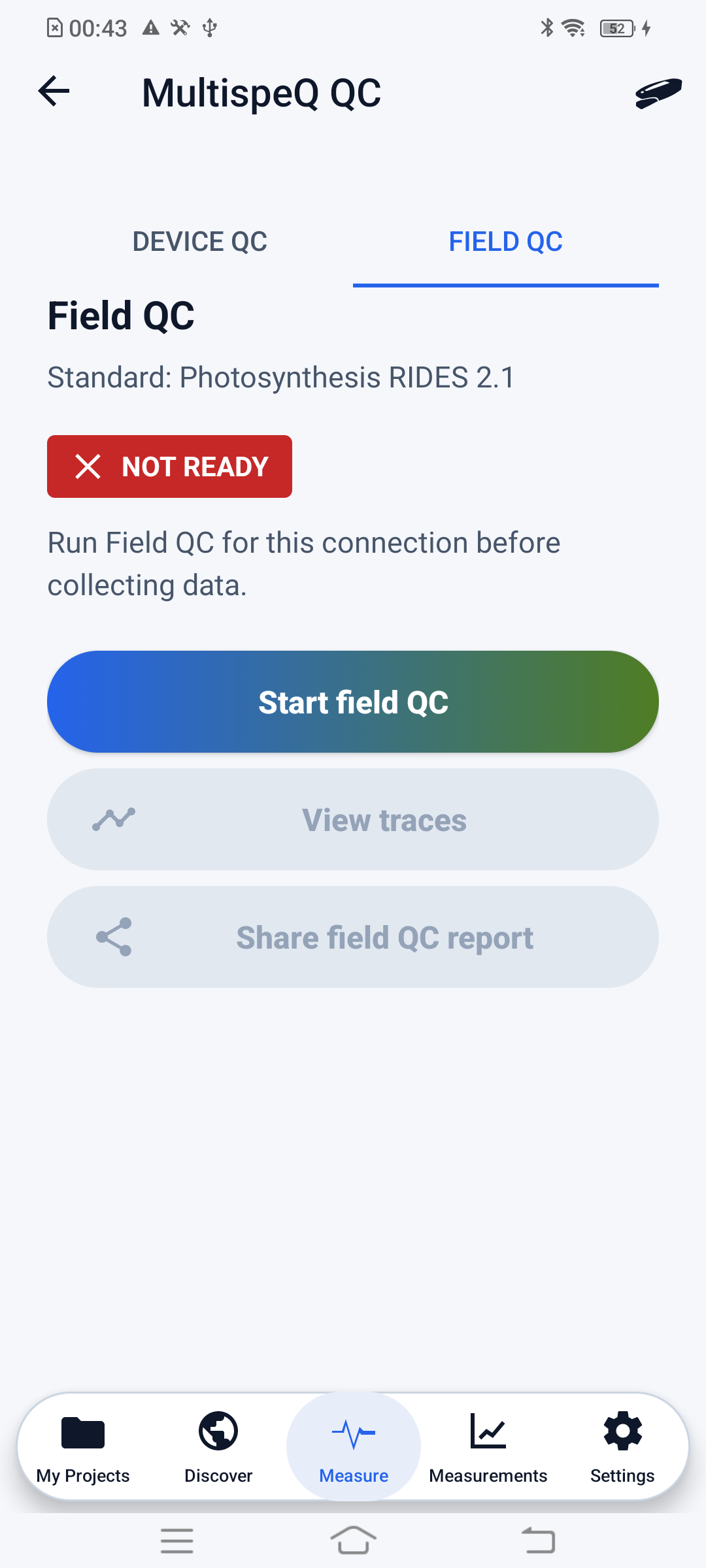
# Run Field QC
- Prepare three healthy leaves that represent the collection area.
- Open the Field QC tab and select Start field QC.
- Review the preparation instructions and select Start Test.
- Place the first leaf flat in the clamp using the normal RIDES setup.
- Keep the instrument steady while the reading runs.
- Repeat with a different representative leaf for readings two and three.
The app checks that a leaf is present and evaluates each reading locally. If no leaf is detected, insert the leaf correctly and retry that reading. After three accepted readings, use View traces to inspect the collected traces or Share field QC report to export the result.
When all three readings contain valid traces and macro output, Field QC reports Ready. After a disconnect or reconnect, the summary returns to Not Ready until the required checks are rerun.
Ready means the bundled checks completed without a blocking finding. It does not validate the experimental design, identify the sample, calibrate the instrument, demonstrate equivalence between devices, or guarantee that a measurement is biologically interpretable.
The trace viewer provides PAM fluorescence (data_raw_PAM), P700 DIRK (P700_DIRK_averaged_trace), PSI absorbance (PSI_data_absorbance), and ECS (ECS_averaged_trace) for the accepted readings.
# Statuses
| Status | Meaning |
|---|---|
| Ready | The check completed without a blocking finding. |
| Review | The check completed, but one or more findings should be reviewed before collection. |
| Not Ready | A required connection, prerequisite, or valid reading is missing, or the check found a blocking problem. |
Reconnection
Disconnecting or changing the MultispeQ resets Field QC readiness for the collection session. A previous report remains available locally, but rerun Field QC after reconnecting before collecting a new batch.