
# MultispeQ QC
The Desktop application provides local Device QC and Field QC workflows. These checks do not create Project measurements or upload QC results to PhotosynQ.
Connect the intended MultispeQ before running QC. Reports are stored under the instrument device ID so results from different MultispeQs remain separate.
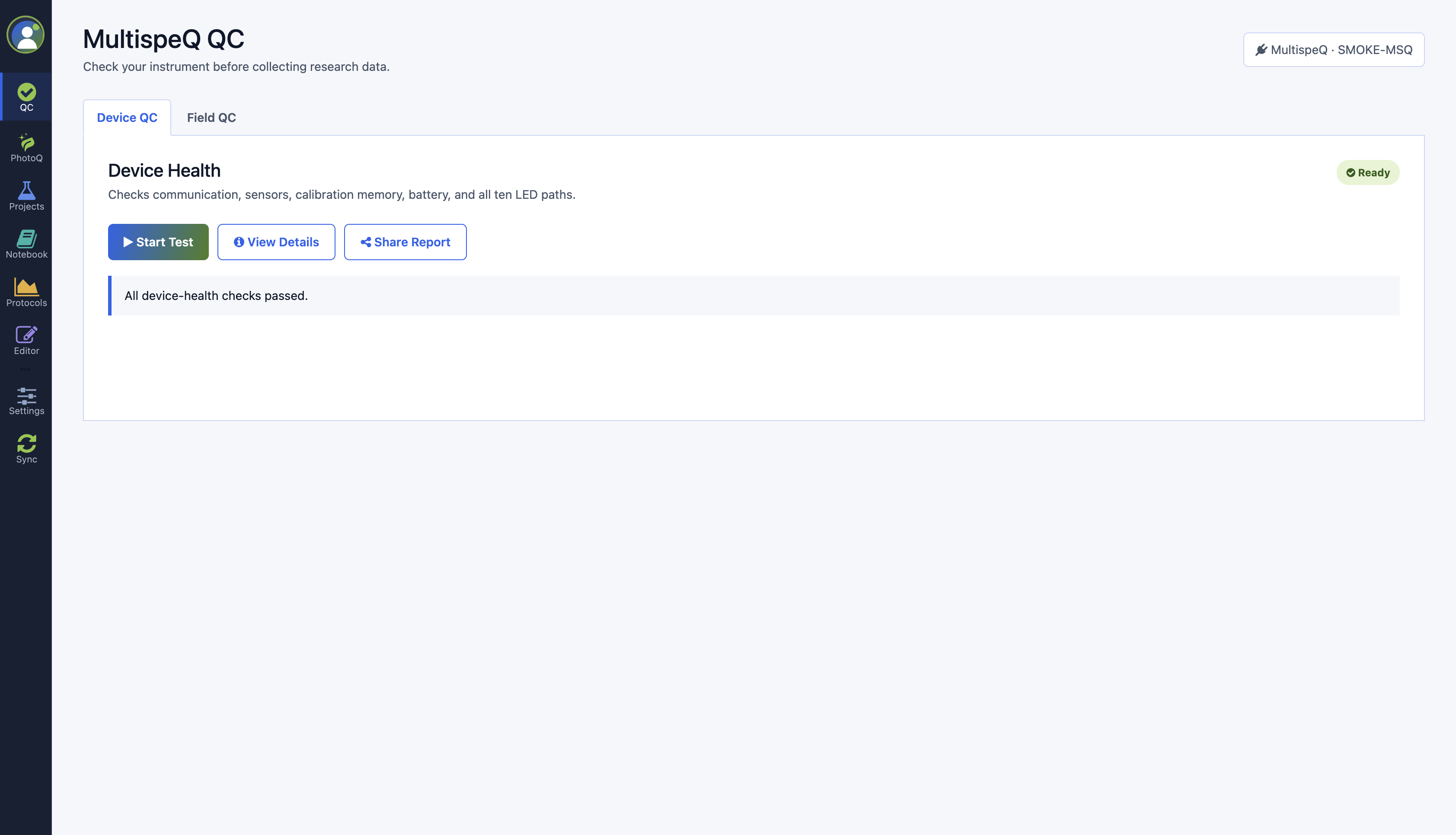
# Device QC
Device QC uses a bundled no-leaf protocol to review communication, firmware, battery, sensors, calibration memory, and LED/detector responses.
- Connect the MultispeQ.
- Remove all leaves and material from the clamp.
- Clean both light guides with a soft, clean microfiber cloth.
- Close the empty clamp completely.
- Place the device on a stable surface in a normally lit area; do not cover it or place it in darkness.
- Select Run Device Check, review the instructions, and start the test.
- Keep the MultispeQ still until the test finishes.
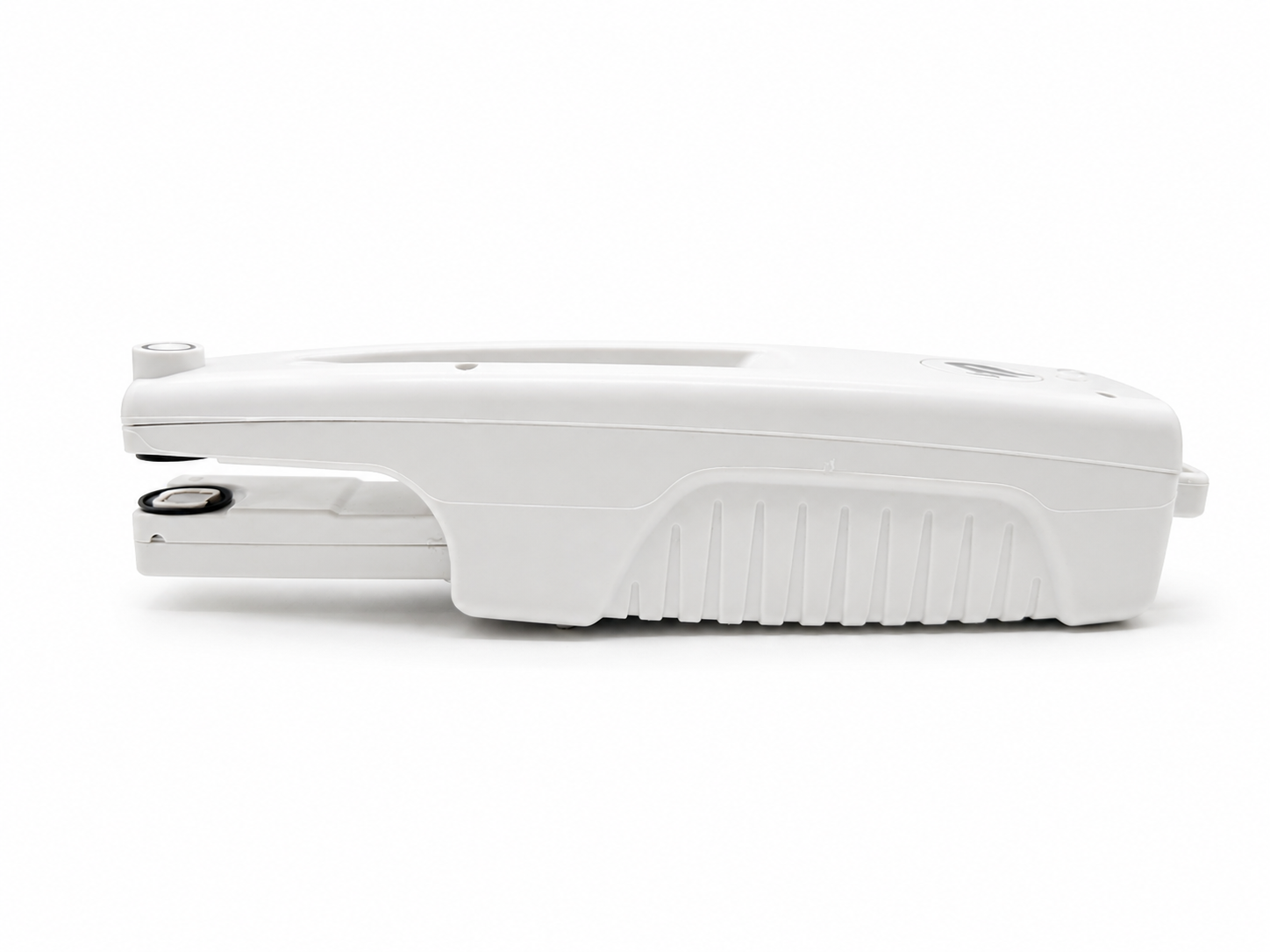
The two circular optical surfaces inside the open clamp are the light-guide area that must be clean before Device QC.
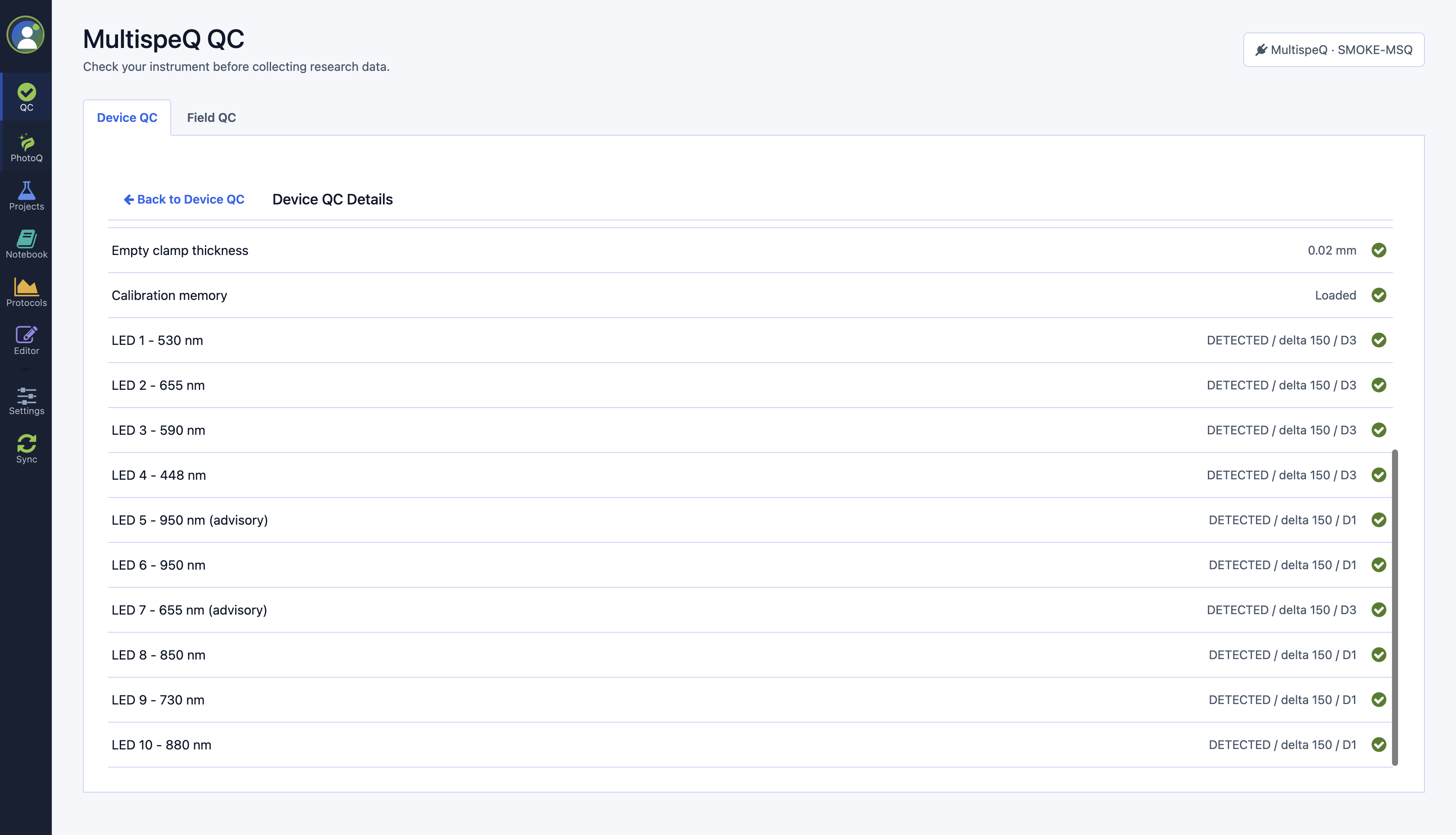
Select View Details to inspect each check. Device QC is a pre-collection health check; it does not replace calibration or certify scientific accuracy.
# Field QC
Complete Device QC first, then use Field QC to run the bundled Photosynthesis RIDES 2.1 protocol on three representative healthy leaves.
- Prepare three representative leaves.
- Select Start Field QC and review the preparation instructions.
- Place the first leaf flat in the clamp using the normal RIDES setup.
- Keep the device steady until the reading finishes.
- Repeat with a different leaf for readings two and three.
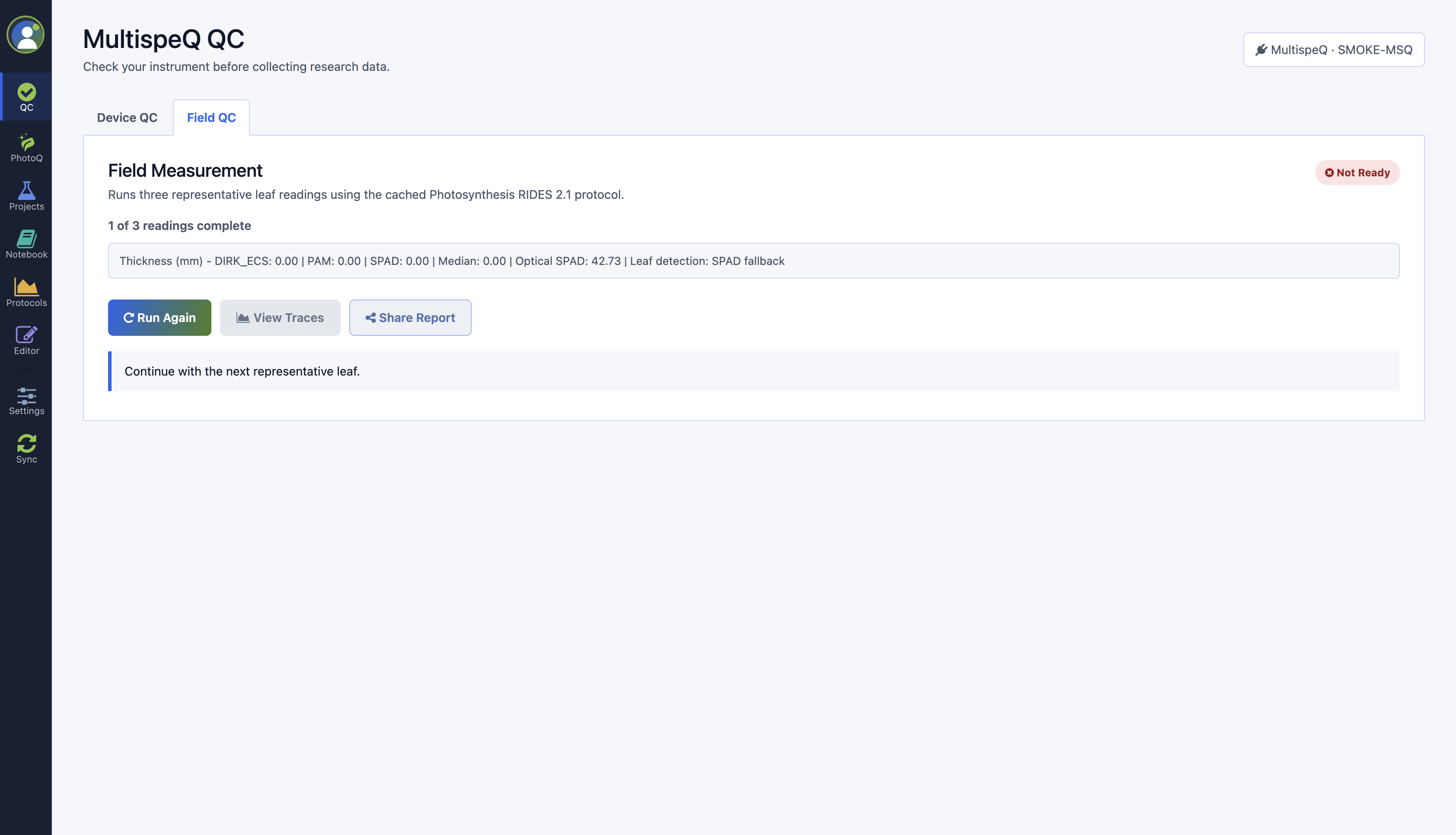
The diagnostics show RIDES thickness values and the optical SPAD signal used to confirm leaf presence. After accepted readings, review the PAM fluorescence, P700 DIRK, PSI absorbance, and ECS traces before beginning a collection run.
# Statuses
| Status | Meaning |
|---|---|
| Ready | Required checks or readings completed without a blocking result. |
| Review | The check completed, but one or more findings should be reviewed. |
| Not Ready | A connection, prerequisite, or valid result is missing, or a blocking issue was detected. |
Disconnecting or changing the MultispeQ clears readiness for the current collection session. Reconnect and rerun the required QC before starting another collection run.