
# MultispeQ v2.5 and v2.0 Calibration
MultispeQ v2.5 and v2.0 use the same calibration assistants, targets, requirements, and procedures. Before starting, complete the preparation steps in the Calibration Overview.
# Calibration Assistants
| Assistant | Description |
|---|---|
Complete Recalibration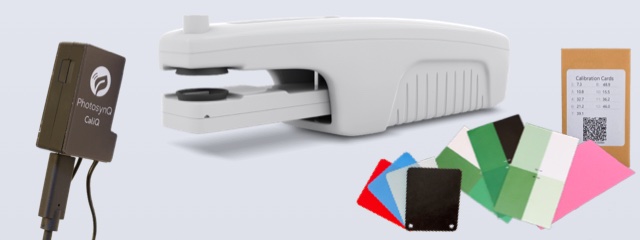 | Complete recalibration of the MultispeQ Instrument including the PAR Sensor, the LEDs of the main body and the Leaf Clamp, the Leaf Thickness Gauge, Relative Chlorophyll (SPAD), the Internal Compass and the Leaf Clamp's Open/Close position. Requirements: □ CaliQ Instrument □ Chlorophyll Calibration Cards □ Fluorescent Card (pink) □ Thickness Calibration Cards |
Open & Close Positions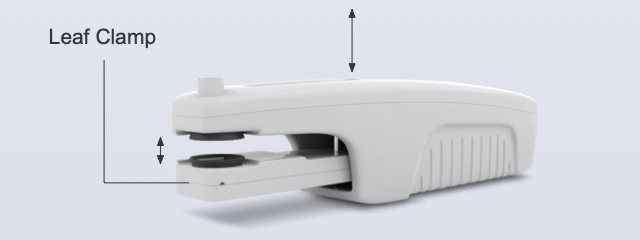 | Set the open and close position of the Leaf Clamp. This becomes important when using the start protocol on open and/or close functions. This is not for calibrating the Leaf Thickness Gauge. |
LEDs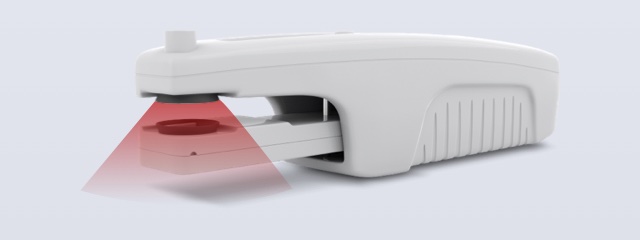 | Recalibrate the Instrument's LEDs to match the set light intensities defined in measurement protocols. LEDs with an emission peak between 400 nm and 700 nm are calibrated to output intensities in PAR. Requirements: □ CaliQ Instrument □ Chlorophyll Calibration Cards □ Fluorescent Card (pink) |
PAR Sensor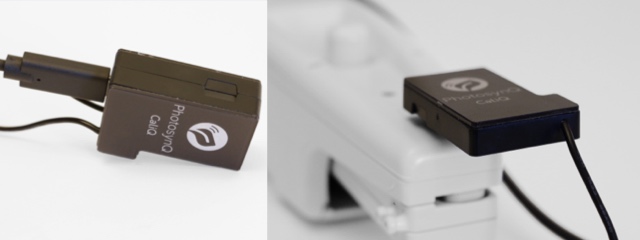 | Calibrate the Instrument's PAR sensor. Requirements: □ CaliQ Instrument |
Leaf Thickness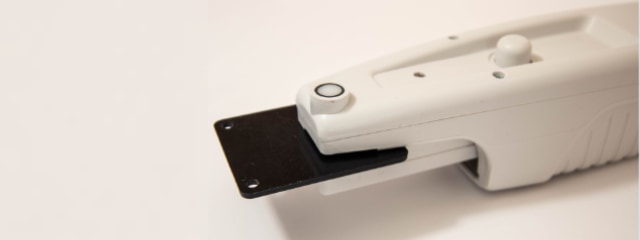 | Calibrate the Instrument's Leaf Thickness Gauge. Requirements: □ Thickness Calibration Cards |
Relative Chlorophyll (SPAD)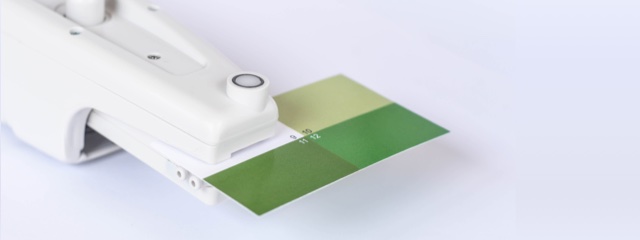 | Calibrate the MultispeQ for relative chlorophyll measurements (Minolta SPAD). Requirements: □ Chlorophyll Calibration Cards |
# Manual Calibrations
Note
Follow the steps in the listed order when a calibration contains multiple steps.
# Calibrate PAR Sensor
| Calibrate PAR Sensor | Description | Details | Firmware |
|---|---|---|---|
| Step 1: Calibrate PAR Sensor | Follow the instructions prompted by the Protocol. | view (opens new window) | >=2.34 |
When using the CaliQ, confirm that it is connected and communicating before starting. Test the connection under Instrument Settings.
Required: CaliQ.
# Calibrate LEDs
| Calibrate LEDs | Description | Details | Firmware |
|---|---|---|---|
| Step 1: Main Body LEDs | Follow the instructions prompted by the Protocol. Make sure the CaliQ sensor has a snug fit. | view (opens new window) | >=2.34 |
| Step 2: Leaf Clamp LEDs | Follow the instructions prompted by the Protocol. Make sure the CaliQ sensor has a snug fit. | view (opens new window) | >=2.34 |
| Step 3: IR LEDs | Follow the instructions prompted by the Protocol. | view (opens new window) | >=2.34 |
Required: CaliQ.
# Electronic Offsets
| Electronic Offsets | Description | Details | Firmware |
|---|---|---|---|
| Step 1: Detector Offsets | Follow the instructions prompted by the Protocol. | view (opens new window) | >=2.34 |
| Step 2: Detector Offsets - Fluorescence | Follow the instructions prompted by the Protocol. | view (opens new window) | >=2.34 |
Required: Chlorophyll calibration cards and the pink fluorescent card.
# Calibrate Leaf Thickness
| Calibrate Leaf Thickness | Description | Details | Firmware |
|---|---|---|---|
| Step 1: Leaf Thickness Gauge | Follow the instructions prompted by the Protocol. Make sure the r² value is 0.98 or higher. Repeat the calibration if it is lower. | view (opens new window) | >=2.34 |
Required: Thickness calibration cards.
# Calibrate Relative Chlorophyll
| Calibrate Relative Chlorophyll | Description | Details | Firmware |
|---|---|---|---|
| Step 1: Relative Chlorophyll (SPAD) | Follow the instructions prompted by the Protocol. Make sure the calibration-card panels are properly clamped. | view (opens new window) | >=2.34 |
Required: Chlorophyll calibration cards.
# Reset Instrument
| Reset Instrument | Description | Details | Firmware |
|---|---|---|---|
| Reset to Default | Reset the MultispeQ to its default settings and remove all calibrations. | view (opens new window) | >=2.34 |
WARNING
Resetting removes all calibrations. Complete every required recalibration step before using the MultispeQ again.